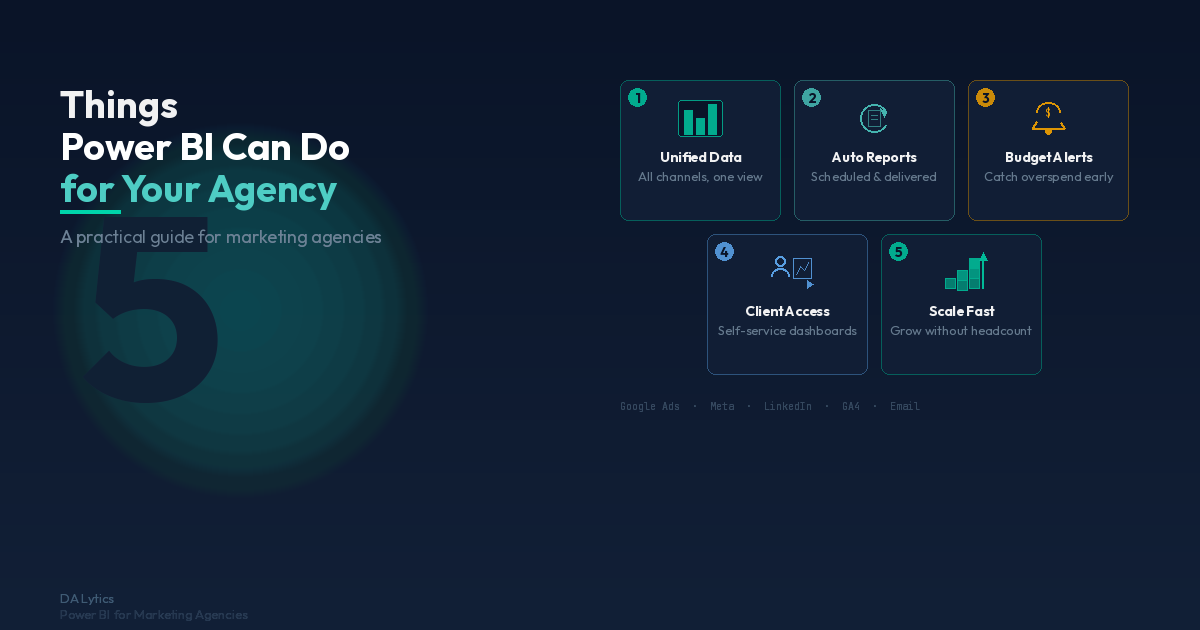
5 Things Power BI Can Do for Your Agency
DA Lytics Team
If you're running a marketing agency, you're juggling reporting for multiple clients across dozens of platforms every single week. Google Ads, Meta, LinkedIn, GA4, email platforms—each one has its own dashboard, and each one tells a different part of the story. Power BI is the unified reporting solution that changes that. Whether you're completely new to Power BI or you're already using it to generate reports, there's likely more this tool can do for your agency than you realize.
At DA Lytics, we've helped marketing agencies across Europe transform their reporting operations with Power BI. In this post, we're breaking down five practical ways Power BI can help your team work smarter, deliver better insights to clients, and actually scale without drowning in spreadsheets.
1. Combine All Your Client Data in One Dashboard
Every marketing platform has its own dashboard, and clients expect you to know all of them inside out. But switching between Google Ads, Meta Ads Manager, GA4, LinkedIn Campaign Manager, and your email platform to pull metrics is a time killer—and it's prone to errors.
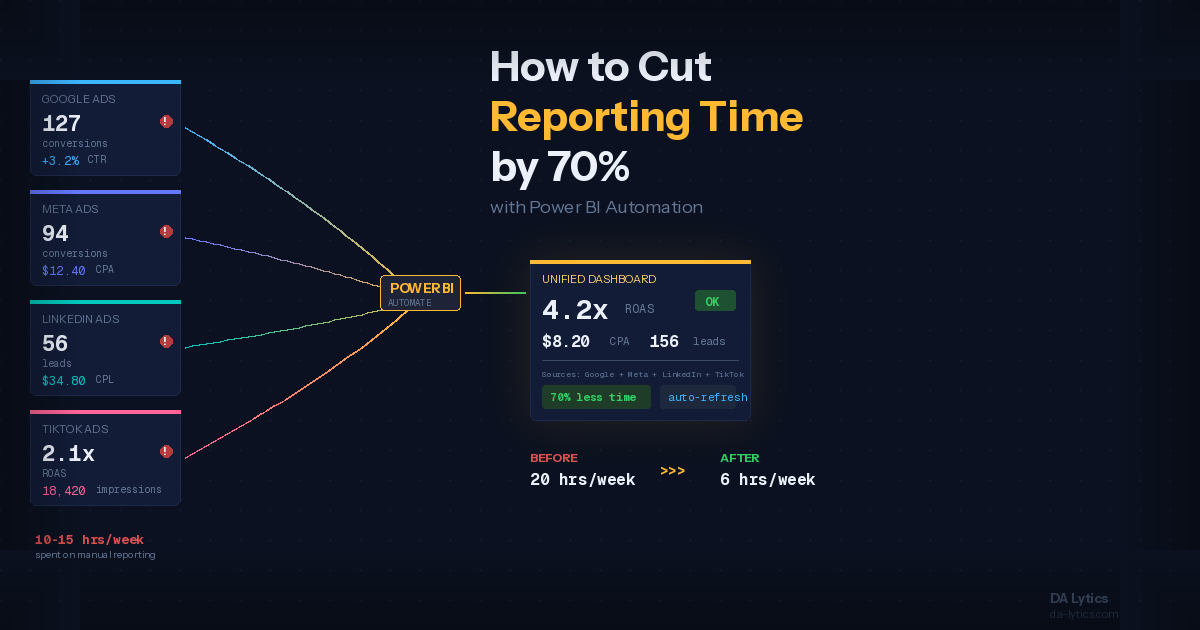
Power BI solves this by pulling all your data into a single, unified view. Using connectors like Funnel.io, you can feed data from all your ad platforms, analytics tools, and CRM systems directly into Power BI. Instead of your team frantically copy-pasting numbers into Excel, your dashboards update automatically every morning.
Real scenario: One agency we worked with was managing 10 clients across 5 different platforms. That's 50+ spreadsheet tabs, weekly manual updates, and constant questions about which number is correct. After implementing Power BI with Funnel.io as the data connector, they built a single interactive dashboard per client—each one showing impressions, clicks, conversions, and ROI from every channel in one place. Their Mondays became infinitely less stressful.
The beauty of consolidating data this way is that you can now create cross-channel insights. Compare how a dollar spent on Google Search performs versus Meta—not in isolation, but side by side in context. Clients love this because it reveals the real story of their marketing mix.
2. Automate Client Reports That Used to Take Hours
Friday afternoon. Someone on your team is rebuilding reports again, exporting CSVs, formatting them in PowerPoint, and queuing up emails to send Monday morning. It's repetitive, it's expensive, and it's the perfect job for automation.
Power BI paired with Power Automate eliminates this completely. You design your client report once, schedule it to refresh automatically, and set up Power Automate to deliver it via email every Monday morning—or whatever cadence makes sense. No manual work. No version control chaos. Clients get their insights exactly when they expect them.
You can even go deeper. Paginated reports—a feature in Power BI Premium—let you generate pixel-perfect, printable reports that look like a professional PDF. Power Automate can attach those to emails automatically. Some agencies also use Power Automate to push report summaries into Slack, so clients see a snapshot without even opening an attachment.
Real scenario: A performance marketing agency we worked with was spending 6-8 hours every week pulling data from Google Ads, calculating performance metrics, and formatting reports in Excel. After setting up automated reports in Power BI with Power Automate delivery, that fell to under 1 hour of setup—and once set up, it took zero hours. They reclaimed 250+ hours per year, which they redirected to strategy and optimization.
This also reduces errors. Humans forget to include last month's data, or accidentally overwrite a formula. Automated reports eliminate human error from the equation.
3. Spot Budget Problems Before They Blow Up
One of the toughest parts of agency work is the surprise. A client's Google Ads account suddenly overspends 40% of its monthly budget in the first week, and nobody notices until Friday. By then, it's too late to adjust.
Power BI's alerting and anomaly detection features catch these problems in real time. You can set budget-pacing thresholds—"alert me if daily spend exceeds $X"—and pair that with Power Automate to send notifications immediately. Some agencies go further and use Power BI's automatic anomaly detection, which uses AI to flag unusual patterns in the data you wouldn't catch by eye.
Imagine this: Day 1 of a Google Ads campaign, you set a daily budget of $500. By the end of Day 3, Power BI's alert fires because actual spend is tracking 25% ahead of pace. You notify the client, adjust keywords or bids, and save them money before the problem compounds. This kind of proactive management is what separates agencies that clients keep versus ones they leave.
Real-time dashboards with drill-down capability also let you investigate quickly. A campaign's CPA spiked? Click into the dashboard and see which keywords or audience segments are responsible. This speed is invaluable when clients are breathing down your neck about performance.
4. Let Clients Explore Their Own Data
One of the biggest productivity killers in agency life is the constant stream of ad-hoc requests. "Can you pull the top 10 converting keywords?" "What's our cost per lead by device?" "Show me last month's numbers again?"
Power BI Service—the cloud version of Power BI—lets you share interactive dashboards directly with clients. They can filter, drill down, and explore their own data without sending you a Slack message. You can even use row-level security to ensure clients only see their own data, not your other accounts.
The result? Clients become self-sufficient. They explore the dashboard at 11 PM when a question pops into their head, rather than waiting until Tuesday to email you. This reduces email volume and—more importantly—makes clients feel more in control of their marketing performance.
Real scenario: A digital marketing agency gave their clients access to Power BI dashboards with row-level security. Suddenly, client questions dropped by 60%. More than that, clients started asking smarter questions because they could see the data themselves. The agency found they were having deeper strategy conversations instead of spending time on data pulls.
You can also embed Power BI reports directly into your agency's client portal, so there's no separate login. Seamless, professional, and it reflects well on your agency's sophistication.
5. Scale Your Agency Without Scaling Your Reporting Team
This is the one that agencies really underestimate. As you add clients, your reporting burden doesn't grow linearly—it multiplies. Twenty clients means twenty reports to build and maintain. Thirty clients? You're adding headcount just to manage the reporting.
Power BI's reusable components flip this equation. Once you've built a solid data model and dashboard template for your core service offering, adding a new client means duplicating that template and re-parameterizing it for their accounts—not rebuilding from scratch.
Advanced teams use Power BI workspaces and deployment pipelines to manage development, testing, and production environments. You can build reports in a dev workspace, test them thoroughly, then push them to production with one click. Parameterized datasets let you swap data sources without touching the visual design.
Some larger agencies even use Power Apps—the low-code app builder integrated with Power BI—to create custom interfaces that clients can use to configure their own reports. It sounds advanced, but it's incredibly scalable once built.
Real impact: An agency that takes Power BI seriously can scale from 10 clients to 50 clients without tripling their reporting team. We've seen agencies go from 2 people managing reports to 1 person managing the system while the team focuses on analysis and optimization. That's the kind of operational leverage that makes a real difference to your bottom line.
Is Power BI Right for Your Agency?
At this point, you might be wondering: is the setup worth it? The answer is yes—but context matters. If you have 2-3 clients and you're reporting manually once a month, Power BI might feel like overkill. But if you have 5+ clients, report monthly, and spend more than 4-5 hours per week on reporting, Power BI pays for itself in time savings alone. Add in the improved client experience and the ability to scale, and it becomes a no-brainer.
Power BI pricing is straightforward: $10 per user per month for Power BI Pro, or $5,000-$10,000 per month for Power BI Premium (depending on capacity). Most agencies start with Pro and scale to Premium as their usage grows.
Getting Started With Power BI for Your Agency
If Power BI sounds like the right move for your agency, start small. Pick one client, one platform (Google Ads or GA4 is a good starting point), and build a simple dashboard. See how it feels. See how your clients react. Then expand from there.
If you want to learn more about how Power BI can specifically solve your agency's reporting challenges, check out our guides on how to use Power BI Copilot for marketing dashboards and how marketing agencies automate multi-platform campaign reporting in Power BI.
You can also explore tracking affiliate performance with Power BI if you work with affiliate channels—it's a perfect example of Power BI handling complex, multi-source data.
Power BI isn't just a reporting tool. It's an operational system that changes how your agency works. It frees up your team from manual labor, gives clients better insights, and lets you scale without adding headcount. If you're serious about growing your agency, it deserves to be on your roadmap.
Ready to transform your agency's reporting? At DA Lytics, we specialize in implementing Power BI solutions specifically built for marketing agencies. We understand your data challenges because we live in this space. If you'd like to explore how Power BI could work for your team, reach out to us—we'd love to chat about your reporting goals.